




Industry-focused learning. Real-world possibilities.Talk to our team +91 99588 73874

Accounts & Business

Accounting Courses with AI in Kerala

2026 Industry-Updated Syllabus: AI - Integrated Accounting Courses

The curriculum covers key areas such as financial management, bookkeeping, taxation, auditing, and the use of modern accounting software. With a strong focus on real-world applications, students gain hands-on experience through case studies and practical sessions. The courses are guided by experienced trainers who bring industry insights into the classroom. Whether you are starting your career or looking to upgrade your skills, SMEClabs provides a practical foundation to help you excel in the accounting and finance sector with confidence.

Who Can Learn Accounting Courses
  • Plus Two
  • Degree
  • Tech Degree
In association withNSDC Logo SMEClabsSkill Development And Entrepreneurship SMEClabsconfederation of india logo smeclabsJain University logo smeclabsskill india logo smeclabs

Prefer to talk? Call +91 99588 73874

Diploma Indian & Foreign Accounting Professional with Gen AI
of training
25+ years
trained
36,270+
hands-on lab
40,000 sq ft
Department
Accounts & Business
Programmes
6 programmes
Duration
2 to 9 months

Our Courses

SAP Certified Application Associate (SAP S/4HANA Finance)

SAP Certified Application Associate (SAP S/4HANA Finance)

  • 2 months
  • Course code 46800
Eligibility:
Any Degree
View syllabusHide syllabus

Course syllabus

  1. Module 1 — SAP HANA, SAP S/4HANA, & SAP Fiori
    • Introducing SAP
    • Introduction to SAP HANA
    • Introducing SAP S/4 HANA
    • SAP ASAP & SAP Activate Methodology
    • SAP Fiori Introduction
  2. Module 2 — SAP HANA FI – Enterprise Structure
    • Define Company in SAP S/4Hana
    • Define Company Code in SAP S/4 Hana
    • Define Business Area
    • Assign Company Code to Company
  3. Module 3 — SAP HANA FI – Company Code Global Parameters
    • Define Chart of Accounts
    • Assign company code to chart of accounts in S4 Hana
    • What is Fiscal Year
    • Maintain Fiscal Year Variant in S/4Hana
    • Assign Company Code to Fiscal Year Variant
    • Define G/L Account Groups in S/4Hana
    • Define Retained Earnings Account
    • Define Posting Period Variant
    • Assign Variant to Company Code
    • Open and Close Posting Periods
  4. Module 4 — SAP HANA FI – Financial Accounting Global Settings
    • Define Field Status Variant
    • Assign Company Code to Field Status Variant
    • 3Company Code Global Parameters in S4 Hana
    • Define Settings for Ledgers and Currency Types
    • Define Accounting Principles
    • Assign Accounting Principles to Ledger Groups
    • Define Document Type Mapping Variants for Postings
    • Consistency Check for General Ledger Settings
    • Define Document Type for Entry View
    • Define Document Type for Entry View in a Ledger
    • Define Document Type for General Ledger View
    • Define Document Number Ranges for Entry View
    • Define Document No Ranges for General Ledger View
    • Activation of Document Splitting
    • Define Reasons for Reversal
  5. Module 5 — SAP S4Hana FI – Tolerance Groups
    • Define Tolerance Group for G/L Accounts
    • Define Tolerance Group for Employees
    • Assign Users to Tolerance Groups
  6. Module 6 — SAP HANA FI – General Ledger Accounting
    • Define Ledgers for General ledger Accounting
    • Define and Activate Non-Leading Ledgers
    • Define Ledger Groups
    • Define Accounting Principles
    • Assign Accounting Principles to Ledger Group
    • Classify G/L Accounts for Document Splitting
    • Classify Document Types for Document Splitting
    • Create Zero Balance Clearing Account
    • Activate Document Splitting
    • Create Profit Center
    • Define G/L Master in Chart of Accounts Area
    • Define G/L Master in Company Code Area
    • Create G/L Mater Centrally
    • Delete / Block / Unblock G/L Master
    • Define Valuation Methods
    • Define Valuation Area
    • Check Assignment of Accounting Principle to Ledger Group
    • Assign Valuation Areas and Accounting Principles
  7. Module 7 — SAP Hana FI – Currency
    • Currency types in SAP Hana
    • Check Currency Codes
    • Check Exchange Rate Types
    • Define translation ratios for currency translation
    • Maintain Exchange Rate Values
  8. Module 8 — SAP HANA FI – Documents Posting
    • General Document Posting
    • Post General Document with Foreign Currency
    • General Document Posting with Special Periods
    • Enter General G/L Document Ledger Group
    • Display Document List
    • How to Park Document
    • Create Hold Document
    • Open Items Document Postings
    • Create Sample Documents
  9. Module 9 — SAP HANA FI – Accounts Payable
    • Define Vendor Account Groups
    • Create Number Ranges for Vendor Accounts
    • Assign Number Ranges to Vendor Account Groups
    • Define Tolerance for Vendors
    • Create Vendor Master Record
    • Vendor Invoice Posting
    • Vendor Credit Memo Posting
    • Vendor Outgoing Payment
    • Display Vendor Balances
    • Define Alternative Reconciliation Account for Down Payment
    • Define Alternative Reconciliation Account for Vendors
    • Create Down Payment
    • Vendor Invoice Posting
    • Create Vendor Master with Payment Method
    • Post Vendor Invoices
  10. Module 10 — SAP Hana FI – Accounts Receivable
    • Define Customer Account Groups
    • Create Number Ranges for Customer Accounts
    • Assign Number Ranges to Customer Account Groups
    • Define Accounts for Cash Discount Granted
    • Define Accounts for Under Payments
    • Create Customer Master Data
    • Customer Invoicing Posting
    • Display Customer Balances
    • Define Dunning Areas
    • Define Dunning Procedure
    • Create Customer Master with Dunning Procedure
    • Dunning Run
  11. Module 11 — SAP Hana FI – Business Partners
    • Activate PPO Requests for Platform Objects in the Dialog
    • Activate Synchronization Options
    • Define BP Grouping and Assign Number Ranges
    • Define BP roles for Customers
    • Define BP roles for Vendors
    • Define BP Role for Direction Vendor to BP
    • Define BP Role for Direction Customer to BP
    • Define Number Assignment for Direction BP to Vendor
    • Create and maintain business partners,
    • Post invoices and payments and use special g/l transactions,
    • Reverse invoices and payments,
    • Configure the payment program,
    • Manage partial payments.
    • Explain the connection of customers to vendors
  12. Module 12 — SAP HANA FI – Bank Accounting
    • Define House Banks
    • Define Number Ranges for Checks
    • Automatic Payment Program
    • Bank Determination for Payment Transactions
    • Create Payment Request
    • Define Posting Keys and Posting Rules for Manual Bank Statements
    • Assign Accounts to Account Symbol
    • Define Variants for Manual Bank Statements
    • Manual Entry Bank Statement
  13. Module 13 — SAP HANA FI – Tax
    • Define Condition Types
    • Settings for Tax Processing
    • Define Tax Procedure
    • Assign Country to Calculation Procedure
    • Define Tax Accounts
    • Define Tax Codes for Sales/Purchases
    • Assign Tax Codes for Non-Taxable Transactions
    • Maintain Condition Records
  14. Module 14 — SAP HANA FI – Asset Accounting
    • Create G/L Accounts
    • Check Country Specific Settings
    • Define Depreciation / Depreciation Areas
    • Specify Account Determination
    • Create Screen Layout Rules
    • Define Number Range Intervals
    • Define Asset Classes
    • Define How Depreciation Areas Post to General Ledger
    • Assign G/L Accounts
    • Set Chart of Depreciation
    • Define Depreciation Areas
    • Define Depreciation Keys
    • Specify Maximum Amount for Low Value Assets + Asset Classes
    • Specify Rounding of Net Book Value
    • Define Base Methods
    • Define Declining Balance Methods
    • Define Multilevel Methods
    • Define Period Control
    • Determine Depreciation Areas in the Asset Class
    • Specify Transfer Data/ Lost Closed Fiscal Year
    • Create Asset Master
    • Define Screen Layout for Asset Master Data
    • Define Screen Layout for Asset Depreciation Areas
    • Asset Acquisition with Vendor 25. Create Sub-Asset Master
    • Asset Acquisition
    • Execute Depreciation Run
    • Document Settings for Asset Accounting
    • Asset Transfer with Company Code
    • Asset Retirement with Reverse
  15. Module 15 — SAP Controlling

  16. Module 16 — SAP HANA FI – Asset Accounting
    • SAP CO Basic Concepts
    • Setting up Controlling Area
  17. Module 17 — Cost center Accounting
    • Cost center creation, change and Display
    • Statistical key figures
    • Cost center splitting
  18. Module 18 — Profit center Accounting
    • Creation profit center hierarchy
    • Creation of Profit center
    • Profit center integration with other module
    • Profit center reporting
    • Profit center month end process
  19. Module 19 — Cost Element Accounting
    • Define Primary and secondary cost elements
    • Automatic and Manual creation of Cost elements
    • Assigning cost elements to cost centers and profit centers
  20. Module 20 — Internal order
    • Creation of order types
    • Creation of internal orders
    • Creation of settlement profile
    • Creation of budget profile
    • Creation of planning profile
    • Internal order settlement

Questions about this syllabus?

CallEnquire
SAP Certified Application Associate (SAP S/4HANA MM)

SAP Certified Application Associate (SAP S/4HANA MM)

  • 2 months
  • Course code 46801
Eligibility:
Any Degree
View syllabusHide syllabus

Course syllabus

  1. Module 1 — Enterprise Structure
    • Define company
    • Define Company code
    • Plant
    • Storage Location
    • Purchasing Organization
    • Purchasing Group
  2. Module 2 — Assignment
    • Assign Company code to company
    • Assign Plant to company code
    • Assign Purchase organization to company code
    • Assign Purchasing organization to plant
    • Assign Standard purchase organization to plant
    • Assign Purchase organization to reference purchase organization
  3. Module 3 — Material Ledger
    • Master Ledger – Basic introduction
    • Assign add currency to company code
    • Assign currency types and define material ledger types
    • Material Ledger Type to Valuation Area
    • Activate Material ledger for Valuation Area
    • Maintain company code for materials Management
  4. Module 4 — Tolerance
    • Set Tolerance limit for price Variance
    • PE – Price Variance purchasing
    • SE - Max. Cash Disc. Deduction
    • Set Tolerance Limit for Goods Receipt
    • B1 – Order Price Quantity Variance
    • B2 – Order Price Quantity Variance (GR)
    • VP – Moving Average Price Difference
  5. Module 5 — Specify Plant Parameter

  6. Module 6 — Maintain Default Values For Tax Code

  7. Module 7 — Material Master Data
    • Define Material Group
    • Maintain External Material Group
    • Define Material Status
    • Define Material Type
    • Define Number Assignment
    • Define standard material types
    • HAWA
    • ROH
    • HALB
    • SERV
    • SUBS
    • Define Attributes of Material Types
    • Copy from standard material type to new material Type
    • Set Quantity and value updating for plant
    • Material Number Range
    • Create Field Reference to Material Type
    • Assign Field Reference to Material Types
  8. Module 8 — Movemnet Types And Valuation Classes
    • Valuation Class / Assign Account Category Reference
    • Valuation Class
    • Material Type / Account Category Reference
  9. Module 9 — General Ledger

  10. Module 10 — Configure Automatic Postings
    • Valuation Modification Group Together Valuation Area
    • AUM- Expense or Revenue from stock Transfer
    • BSV - Change in stock Account
    • BSX – Inventory Posting
    • GBB- Offsetting entry for inventory posting
    • BSA – For Initial Entry of stock Balance
    • INV- For expenditure / Revenue from Inventory Difference
    • VBR- For Internal Goods Issue
    • VQP – Without Account Assignment
    • VQY – With Account Assignment
    • ZOB – For Goods Receipt without PO
    • VNG - For Scarping and Distraction
    • PRA – Price Difference in goods issue / other Movements
    • PRU- Price Difference while doing transfer posting
    • WRX- GR-IR Clearing Account
    • Set Material Ledger Productive for Valuation Area
    • Set default cost center for each cost Element
  11. Module 11 — Vendor Master Data Configuration
    • Define vendor account group with screen layout
    • Create number range interval for vendor account Group
    • Assign number range to vendor account groups
    • Define number range to business partner side
    • Define grouping and assign number ranges
    • Define number assignment for direction to BP to Vendor
    • Vendor master data creation
    • Change vendor master Data
    • Display vendor master Data
  12. Module 12 — Material Master Data
    • Meaning of Material master Data
    • Create Material
    • Change Material
    • Display Material
  13. Module 13 — Purchase Info Record
    • Meaning of Purchase info record
    • Standard
    • Sub-Contracting
    • Pipe Line
    • Consignment
    • Create purchase info Record
    • Change Purchase Info Record
    • Display Purchase Info Record
    • Display changes in Purchase info Record
  14. Module 14 — Material Procurement – Unit Testing
    • Procurement Using a Fixed Vendor
    • Determine Material Requirement
    • Purchase order
    • Goods Receive
    • Invoice Receipt
    • Procurement without a fixed Vendor
    • Determine the requirement
    • Purchase Requestion
    • Request for Quotation
    • Maintain Quotation
    • Price Comparison / Decide Vendor
    • Purchase order
    • Goods Receipt
    • Invoice Receipt
  15. Module 15 — Request For Quotations
    • Create RFQ
    • Change RFQ
    • Display RFQ
    • Maintain Quotations
    • Price comparison
    • Purchase order
    • Goods Receipt
    • Invoice Receipt
  16. Module 16 — Multiple Material With Multiple Quantity
    • Create Material
    • Create purchase Requestion
    • Request for Quotation
    • Maintain Quotation
    • Price Comparison
    • Purchase order
    • Goods Receipt
    • Invoice Receipt
  17. Module 17 — Master Data Extension
    • Plant to Plant
    • Storage location to storage location
  18. Module 18 — Vendor Master Data Extension

  19. Module 19 — Initial Entry Of Stock Balance

  20. Module 20 — Material Trnsafer
    • Plant to Plant
    • Storage location to Another
    • Material to Material
  21. Module 21 — STO – Stock Transport Order
    • Create stock transport order
    • Goods Against stock Transport order
    • Display stock in transit
    • Goods Receipt Against STO
  22. Module 22 — Standard Price
    • Meaning of moving Standard Price
    • Create Material
    • Create purchase order
    • Goods Receipt
    • Display Material
  23. Module 23 — Logistics Invoice Verification
    • Invoice verification basics
    • Planned and unplanned delivery costs
    • Create invoice verification document
    • Blocking\releasing invoice condition
    • Holding of invoice
    • Parking of invoice
    • Releasing from holding\ parking
    • Checking invoice\payment status
  24. Module 24 — Pricing Procedure
    • Condition table
    • Access sequence
    • Condition type
    • Condition record
    • Schema group
    • Calculation schema
    • Schema determination
  25. Module 25 — Stock Transport Order
    • STO Purchase Order
    • Delivery Creation
    • Post Goods Issue
    • Sales Invoice
    • Goods Receipt
    • Invoice
  26. Module 26 — Classification
    • Creation
    • Character creation
    • Class creation
    • Assignment of class and character
    • Assign class in material master
    • Create Batch & Assign Values
  27. Module 27 — Contract
    • Creation of contract
    • Assign in source List
  28. Module 28 — MRP

  29. Module 29 — Movement Types

  30. Module 30 — Importance of Tables

  31. Module 31 — Mass Creation of Masters LSMW/BDC

  32. Module 32 — SQVI

  33. Module 33 — Mass Field Updating

  34. Module 34 — Standard Reporting

  35. Module 35 — MM FI Integration

Questions about this syllabus?

CallEnquire
Certified Indian & Foreign Accounting Professional with Gen AI

Certified Indian & Foreign Accounting Professional with Gen AI

  • 4 months
  • Course code 46802
Eligibility:
Any Degree

Placement support

View syllabusHide syllabus

Course syllabus

  1. Module 1 — Basic Accounting
    • Introduction to Accounting
    • Accounting Concepts
    • Golden Rules of Accounting
    • Book Keeping
    • Journalizing
    • Ledger Preparation
    • Trial Balance
    • Financial Statements
    • Finalization of Accounts
    • ntroduction to Payroll
    • Day Book |Cash Book Preparation
    • Introduction to ERP System
    • Getting Start with Tally Prime
  2. Module 2 — Tally Prime with AI
    • Introduction to Tally Prime
    • Tally Prime Function Keys
    • Ledger Creation
    • Ledger Groups
    • Accounting Vouchers
    • Bank Reconciliation & Automated Analytics
    • Generating Financial Statement and MIS Reports
    • Inventory Management & Automation
    • Godown Creation
    • Purchase and Sales Order
    • Cost/ Profit center Management
    • Price Level
    • Reorder Level
    • AI Inventory Analysis
    • Goods and Service Tax (GST)
    • GST Reports
    • GST Filing (GSTR1, GSTR 3B)
    • GST Reconciliation (GSTR 2A, 2B)
    • Value Added Tax (VAT)
    • VAT Reports
    • Tax Deducted at source (TDS)
    • Tally Project 1 (Sole Proprietor, Service-Related Company)
    • Tally Project 2 (GST)
    • Tally Project 3 (Manufacturing & Assembling using UAE VAT)
    • Tally Project 4 (Payroll Management, Bank Reconciliation)
  3. Module 3 — Financial Analysis Using Tally AI
    • Tally Dashboards
    • Ratio Analysis and Cash Flow Statement
    • Budgeting
    • Outstanding Repots
    • Data Security Company & Data Management
    • Stock Analysis
  4. Module 4 — Microsoft Excel with AI
    • Basics
    • Introduction to Excel
    • Workbook and Worksheet
    • Data Entry and Formatting
    • Formulas & Functions
    • SUM
    • AVERAGE
    • MAX
    • MIN
    • COUNT
    • IF Function
    • VLOOKUP / XLOOKUP
    • Data Tools
    • Sorting and Filtering
    • Conditional Formatting
    • Charts and Graphs
    • Pivot Tables
    • AI Integration
    • Excel AI data analysis
    • Forecasting with AI
    • AI insights for data trends
    • Automatic chart creation using AI
  5. Module 5 — Zoho Books
    • Ledger Creation
    • Ledger Posting
    • Stock Item Creation
    • Vendor Creation
    • Purchase Cycle
    • Purchase Order
    • Purchase Bill (Item)
    • Purchase Bill (Fixed Asset or Tax Applicable Ledger)
    • Payment to Vendor
    • Purchase Return
    • Customer Creation
    • Sales Cycle
    • Estimate
    • Sales Order
    • Delivery Challan
    • Sales Invoice
    • Cash Received from Customer
    • Sales Return
    • Reports
    • Dashboard Analysis
    • Zoho ZIVI Assistants

Questions about this syllabus?

CallEnquire
Diploma Indian & Foreign Accounting Professional with Gen AI

Diploma Indian & Foreign Accounting Professional with Gen AI

  • 9 months
  • Course code 46803
Eligibility:
Plus Two

Placement support

View syllabusHide syllabus

Course syllabus

  1. Module 1 — Basic Accounting
    • Introduction to Accounting
    • Accounting Concepts
    • Golden Rules of Accounting
    • Book Keeping
    • Journalizing
    • Ledger Preparation
    • Trial Balance
    • Financial Statements
    • Finalization of Accounts
    • Introduction to Payroll
    • Day Book |Cash Book Preparation
    • Introduction to ERP System
    • Getting Start with Tally Prime
  2. Module 2 — Tally Prime with AI
    • Introduction to Tally Prime
    • Tally Prime Function Keys
    • Ledger Creation
    • Ledger Groups
    • Accounting Vouchers
    • Bank Reconciliation & Automated Analytics
    • Generating Financial Statement and MIS Reports
    • Inventory Management & Automation
    • Godown Creation
    • Purchase and Sales Order
    • Cost/ Profit center Management
    • Price Level
    • Reorder Level
    • AI Inventory Analysis
    • Goods and Service Tax (GST)
    • GST Reports
    • GST Filing (GSTR1, GSTR 3B)
    • GST Reconciliation (GSTR 2A, 2B)
    • Value Added Tax (VAT)
    • VAT Reports
    • Tax Deducted at source (TDS)
    • Tally Project 1 (Sole Proprietor, Service-Related Company)
    • Tally Project 2 (GST)
    • Tally Project 3 (Assembling with UAE VAT)
    • Tally Project 4 (Payroll Management, Bank Reconciliation)
  3. Module 3 — Introduction to Computers & AI
    • Basics of Computer Systems
    • Hardware and Software
    • Introduction to Artificial Intelligence
    • Applications of AI in Office Work
    • AI tools for productivity
  4. Module 4 — Microsoft Word with AI
    • Basics
    • Introduction to MS Word
    • Creating, Saving and Opening Documents
    • Formatting Text (Font, Size, Color, Alignment)
    • Paragraph Formatting
    • Page Layout and Margins
    • Advanced
    • Tables and Charts
    • Header, Footer, Page Numbers
    • Mail Merge
    • Spell Check and Grammar Tools
    • AI Integration
    • AI writing assistants
    • Auto document formatting using AI
    • AI for grammar correction and summarization
    • Generating reports using AI
  5. Module 5 — Microsoft Excel with AI
    • Basics
    • Introduction to Excel
    • Workbook and Worksheet
    • Data Entry and Formatting
    • Formulas & Functions
    • SUM
    • AVERAGE
    • MAX
    • MIN
    • COUNT
    • IF Function
    • VLOOKUP / XLOOKUP
    • Data Tools
    • Sorting and Filtering
    • Conditional Formatting
    • Charts and Graphs
    • Pivot Tables
    • AI Integration
    • Excel AI data analysis
    • Forecasting with AI
    • AI insights for data trends
    • Automatic chart creation using AI
  6. Module 6 — Microsoft PowerPoint with AI
    • Basics
    • Introduction to PowerPoint
    • Creating Slides
    • Slide Layouts and Themes
    • Advanced
    • Adding Images, Videos and Audio
    • Animations and Transitions
    • Slide Master
    • AI Integration
    • AI slide design suggestions
    • AI presentation creation
    • AI content generation for slides
  7. Module 7 — AI Tools for Office Work
    • Introduction to AI productivity tools
    • Using AI for document creation
    • AI for data analysis
    • AI for presentations
    • AI chat assistants for office work
  8. Module 8 — Power B I
    • Data Preparation (Power Query)
    • Data Connectivity
    • Power Query Editor
    • Transformations
    • Data Modelling & DAX
    • Relationships
    • Data Visualization & Reporting
    • AI Visuals
  9. Module 9 — Zoho Books
    • Ledger Creation
    • Ledger Posting
    • Stock Item Creation
    • Vendor Creation
    • Purchase Cycle
    • Purchase Order
    • Purchase Bill (Item)
    • Purchase Bill (Fixed Asset or Tax Applicable Ledger)
    • Payment to Vendor
    • Purchase Return
    • Customer Creation
    • Sales Cycle
    • Estimate
    • Sales Order
    • Delivery Challan
    • Sales Invoice
    • Cash Received from Customer
    • Sales Return
    • Reports
    • Dashboard Analysis
    • Zoho ZIVI Assistants
  10. Module 10 — Peachtree Sage 100
    • Charts of Accounts
    • Journal
    • Inventory and service
    • Vendor Creations
    • Purchase Order
    • Purchase Bill
    • Pay Bills
    • Purchase Returns
    • Customer Creations
    • Sales Order
    • Sales Bill
    • Sales Returns
    • Receive Bills
    • Bank Deposits
    • Reports
  11. Module 11 — SAP FICO Basic Structure
    • Finance
    • Enterprise Structure
    • Company Code Global Parameters
    • Financial Accounting Global Settings
    • Tolerance Groups
    • General Ledger Accounting
    • Documents Posting
    • Accounts Payable
    • Accounts Receivable
    • Business Partners
    • Tax
    • Financial Statement
    • Controlling
    • Cost centre Accounting
    • Profit centre Accounting
    • Cost Element Accounting
    • Internal order
  12. Module 12 — Soft Skill Training

  13. Module 13 — Internship

Questions about this syllabus?

CallEnquire
Professional Diploma in Corporate Account Management with Gen AI

Professional Diploma in Corporate Account Management with Gen AI

  • 6 months
  • Course code 46804
Eligibility:
Any Degree

Placement support

View syllabusHide syllabus

Course syllabus

  1. Module 1 — Basic Accounting
    • Introduction to Accounting
    • Accounting Concepts
    • Golden Rules of Accounting
    • Book Keeping
    • Journalizing
    • Ledger Preparation
    • Trial Balance
    • Financial Statements
    • Finalization of Accounts
    • Introduction to Payroll
    • Day Book & Cash Book Preparation
    • Introduction to ERP System
    • Getting Start with Tally Prime
  2. Module 2 — Tally Prime with AI
    • Introduction to Tally Prime
    • Tally Prime Function Keys
    • Ledger Creation
    • Ledger Groups
    • Accounting Vouchers
    • Bank Reconciliation & Automated Analytics
    • Generating Financial Statement and MIS Reports
    • Inventory Management & Automation
    • Godown Creation
    • Purchase and Sales Order
    • Cost/ Profit center Management
    • Price Level
    • Reorder Level
    • AI Inventory Analysis
    • Goods and Service Tax (GST)
    • GST Reports
    • GST Filing (GSTR1, GSTR 3B)
    • GST Reconciliation (GSTR 2A, 2B)
    • Value Added Tax (VAT)
    • VAT Reports
    • Tax Deducted at source (TDS)
    • Tally Project 1 (Sole Proprietor, Service-Related Company)
    • Tally Project 2 (GST)
    • Tally Project 3 (Assembling with UAE VAT)
    • Tally Project 4 (Payroll Management, Bank Reconciliation)
  3. Module 3 — Financial Analysis Using Tally AI
    • Tally Dashboards
    • Ratio Analysis and Cash Flow Statement
    • Budgeting
    • Outstanding Repots
    • Data Security Company & Data Management
    • Stock Analysis
  4. Module 4 — Introduction to Computers & AI
    • Basics of Computer Systems
    • Hardware and Software
    • Introduction to Artificial Intelligence
    • Applications of AI in Office Work
    • AI tools for productivity
  5. Module 5 — Microsoft Word with AI
    • Basics
    • Introduction to MS Word
    • Creating, Saving and Opening Documents
    • Formatting Text (Font, Size, Color, Alignment)
    • Paragraph Formatting
    • Page Layout and Margins
    • Advanced
    • Tables and Charts
    • Header, Footer, Page Numbers
    • Mail Merge
    • Spell Check and Grammar Tools
    • AI Integration
    • AI writing assistants
    • Auto document formatting using AI
    • AI for grammar correction and summarization
    • Generating reports using AI
  6. Module 6 — Microsoft Excel with AI
    • Basics
    • Introduction to Excel
    • Workbook and Worksheet
    • Data Entry and Formatting
    • Formulas & Functions
    • SUM
    • AVERAGE
    • MAX
    • MIN
    • COUNT
    • IF Function
    • VLOOKUP / XLOOKUP
    • Data Tools
    • Sorting and Filtering
    • Conditional Formatting
    • Charts and Graphs
    • Pivot Tables
    • AI Integration
    • Excel AI data analysis
    • Forecasting with AI
    • AI insights for data trends
    • Automatic chart creation using AI
  7. Module 7 — Microsoft PowerPoint with AI
    • Basics
    • Introduction to PowerPoint
    • Creating Slides
    • Slide Layouts and Themes
    • Advanced
    • Adding Images, Videos and Audio
    • Animations and Transitions
    • Slide Master
    • AI Integration
    • AI slide design suggestions
    • AI presentation creation
    • AI content generation for slides
  8. Module 8 — AI Tools for Office Work
    • Introduction to AI productivity tools
    • Using AI for document creation
    • AI for data analysis
    • AI for presentations
    • AI chat assistants for office work
  9. Module 9 — Zoho Books
    • Ledger Creation
    • Ledger Posting
    • Stock Item Creation
    • Vendor Creation
    • Purchase Cycle
    • Purchase Order
    • Purchase Bill (Item)
    • Purchase Bill (Fixed Asset or Tax Applicable Ledger)
    • Payment to Vendor
    • Purchase Return
    • Customer Creation
    • Sales Cycle
    • Estimate
    • Sales Order
    • Delivery Challan
    • Sales Invoice
    • Cash Received from Customer
    • Sales Return
    • Reports
    • Dashboard Analysis
    • Zoho ZIVI Assistants
  10. Module 10 — Peachtree Sage 100
    • Charts of Accounts
    • Journal
    • Inventory and service
    • Vendor Creations
    • Purchase Order
    • Purchase Bill
    • Pay Bills
    • Purchase Returns
    • Customer Creations
    • Sales Order
    • Sales Bill
    • Sales Returns
    • Receive Bills
    • Bank Deposits
    • Reports
  11. Module 11 — SAP S4 HANA FICO
    • Finance
    • Enterprise Structure
    • Company Code Global Parameters
    • Financial Accounting Global Settings
    • Tolerance Groups
    • General Ledger Accounting
    • Currency
    • Documents Posting
    • Accounts Payable
    • Accounts Receivable
    • Business Partners
    • Bank Accounting
    • Tax
    • Asset Accounting
    • Controlling
    • Cost center Accounting
    • Profit center Accounting
    • Cost Element Accounting
    • Internal order
  12. Module 12 — SAP HANA, SAP S/4HANA, & SAP Fiori
    • Introducing SAP
    • Introduction to SAP HANA
    • Introducing SAP S/4 HANA
    • SAP ASAP & SAP Activate Methodology
    • SAP Fiori Introduction
  13. Module 13 — SAP HANA FI – Enterprise Structure
    • Define Company in SAP S/4Hana
    • Define Company Code in SAP S/4 Hana
    • Define Business Area
    • Assign Company Code to Company
  14. Module 14 — SAP HANA FI – Company Code Global Parameters
    • Define Chart of Accounts
    • Assign company code to chart of accounts in S4 Hana
    • What is Fiscal Year
    • Maintain Fiscal Year Variant in S/4Hana
    • Assign Company Code to Fiscal Year Variant
    • Define G/L Account Groups in S/4Hana
    • Define Retained Earnings Account
    • Define Posting Period Variant
    • Assign Variant to Company Code
    • Open and Close Posting Periods
  15. Module 15 — SAP HANA FI – Financial Accounting Global Settings
    • Define Field Status Variant
    • Assign Company Code to Field Status Variant
    • 3Company Code Global Parameters in S4 Hana
    • Define Settings for Ledgers and Currency Types
    • Define Accounting Principles
    • Assign Accounting Principles to Ledger Groups
    • Define Document Type Mapping Variants for Postings
    • Consistency Check for General Ledger Settings
    • Define Document Type for Entry View
    • Define Document Type for Entry View in a Ledger
    • Define Document Type for General Ledger View
    • Define Document Number Ranges for Entry View
    • Define Document No Ranges for General Ledger View
    • Activation of Document Splitting
    • Define Reasons for Reversal
  16. Module 16 — SAP S4 Hana FI – Tolerance Groups
    • Define Tolerance Group for G/L Accounts
    • Define Tolerance Group for Employees
    • Assign Users to Tolerance Groups
  17. Module 17 — SAP HANA FI – General Ledger Accounting
    • Define Ledgers for General ledger Accounting
    • Define and Activate Non-Leading Ledgers
    • Define Ledger Groups
    • Define Accounting Principles
    • Assign Accounting Principles to Ledger Group
    • Classify G/L Accounts for Document Splitting
    • Classify Document Types for Document Splitting
    • Create Zero Balance Clearing Account
    • Activate Document Splitting
    • Create Profit Center
    • Define G/L Master in Chart of Accounts Area
    • Define G/L Master in Company Code Area
    • Create G/L Mater Centrally
    • Delete / Block / Unblock G/L Master
    • Define Valuation Methods
    • Define Valuation Area
    • Check Assignment of Accounting Principle to Ledger Group
    • Assign Valuation Areas and Accounting Principles
  18. Module 18 — SAP Hana FI – Currency
    • Currency types in SAP Hana
    • Check Currency Codes
    • Check Exchange Rate Types
    • Define translation ratios for currency translation
    • Maintain Exchange Rate Values
  19. Module 19 — SAP HANA FI – Documents Posting
    • General Document Posting
    • Post General Document with Foreign Currency
    • General Document Posting with Special Periods
    • Enter General G/L Document Ledger Group
    • Display Document List
    • How to Park Document
    • Create Hold Document
    • Open Items Document Postings
    • Create Sample Documents
  20. Module 20 — SAP HANA FI – Accounts Payable
    • Define Vendor Account Groups
    • Create Number Ranges for Vendor Accounts
    • Assign Number Ranges to Vendor Account Groups
    • Define Tolerance for Vendors
    • Create Vendor Master Record
    • Vendor Invoice Posting
    • Vendor Credit Memo Posting
    • Vendor Outgoing Payment
    • Display Vendor Balances
    • Define Alternative Reconciliation Account for Down Payment
    • Define Alternative Reconciliation Account for Vendors
    • Create Down Payment
    • Vendor Invoice Posting
    • Create Vendor Master with Payment Method
    • Post Vendor Invoices
  21. Module 21 — SAP Hana FI – Accounts Receivable
    • Define Customer Account Groups
    • Create Number Ranges for Customer Accounts
    • Assign Number Ranges to Customer Account Groups
    • Define Accounts for Cash Discount Granted
    • Define Accounts for Under Payments
    • Create Customer Master Data
    • Customer Invoicing Posting
    • Display Customer Balances
    • Define Dunning Areas
    • Define Dunning Procedure
    • Create Customer Master with Dunning Procedure
    • Dunning Run
  22. Module 22 — SAP Hana FI – Business Partners
    • Activate PPO Requests for Platform Objects in the Dialog
    • Activate Synchronization Options
    • Define BP Grouping and Assign Number Ranges
    • Define BP roles for Customers
    • Define BP roles for Vendors
    • Define BP Role for Direction Vendor to BP
    • Define BP Role for Direction Customer to BP
    • Define Number Assignment for Direction BP to Vendor
    • Create and maintain business partners,
    • Post invoices and payments and use special g/l transactions,
    • Reverse invoices and payments,
    • Configure the payment program,
    • Manage partial payments.
    • Explain the connection of customers to vendors
  23. Module 23 — SAP HANA FI – Bank Accounting
    • Define House Banks
    • Define Number Ranges for Checks
    • Automatic Payment Program
    • Bank Determination for Payment Transactions
    • Create Payment Request
    • Define Posting Keys and Posting Rules for Manual Bank Statements
    • Assign Accounts to Account Symbol
    • Define Variants for Manual Bank Statements
    • Manual Entry Bank Statement
  24. Module 24 — SAP HANA FI – Tax
    • Define Condition Types
    • Settings for Tax Processing
    • Define Tax Procedure
    • Assign Country to Calculation Procedure
    • Define Tax Accounts
    • Define Tax Codes for Sales/Purchases
    • Assign Tax Codes for Non-Taxable Transactions
    • Maintain Condition Records
  25. Module 25 — SAP HANA FI – Asset Accounting
    • Create G/L Accounts
    • Check Country Specific Settings
    • Define Depreciation / Depreciation Areas
    • Specify Account Determination
    • Create Screen Layout Rules
    • Define Number Range Intervals
    • Define Asset Classes
    • Define How Depreciation Areas Post to General Ledger
    • Assign G/L Accounts
    • Set Chart of Depreciation
    • Define Depreciation Areas
    • Define Depreciation Keys
    • Specify Maximum Amount for Low Value Assets + Asset Classes
    • Specify Rounding of Net Book Value
    • Define Base Methods
    • Define Declining Balance Methods
    • Define Multilevel Methods
    • Define Period Control
    • Determine Depreciation Areas in the Asset Class
    • Specify Transfer Data/ Lost Closed Fiscal Year
    • Create Asset Master
    • Define Screen Layout for Asset Master Data
    • Define Screen Layout for Asset Depreciation Areas
    • Asset Acquisition with Vendor 25. Create Sub-Asset Master
    • Asset Acquisition
    • Execute Depreciation Run
    • Document Settings for Asset Accounting
    • Asset Transfer with Company Code
    • Asset Retirement with Reverse
  26. Module 26 — SAP HANA FI – Asset Accounting
    • SAP CO Basic Concepts
    • Setting up Controlling Area
  27. Module 27 — Cost center Accounting
    • Cost center creation, change and Display
    • Statistical key figures
    • Cost center splitting
  28. Module 28 — Profit center Accounting
    • Creation profit center hierarchy
    • Creation of Profit center
    • Profit center integration with other module
    • Profit center reporting
    • Profit center month end process
  29. Module 29 — Cost Element Accounting
    • Define Primary and secondary cost elements
    • Automatic and Manual creation of Cost elements
    • Assigning cost elements to cost centers and profit centers
  30. Module 30 — Internal order
    • Creation of order types
    • Creation of internal orders
    • Creation of settlement profile
    • Creation of budget profile
    • Creation of planning profile
    • Internal order settlement

Questions about this syllabus?

CallEnquire
Professional Diploma in Financial Analyst Management with Gen AI

Professional Diploma in Financial Analyst Management with Gen AI

  • 6 months
  • Course code 46805
Eligibility:
Any Degree

Placement support

View syllabusHide syllabus

Course syllabus

  1. Module 1 — Basic Accounting
    • Introduction to Accounting
    • Accounting Concepts
    • Golden Rules of Accounting
    • Book Keeping
    • Journalizing
    • Ledger Preparation
    • Trial Balance
    • Financial Statements
    • Finalization of Accounts
    • Introduction to Payroll
    • Day Book & Cash Book Preparation
    • Introduction to ERP System
    • Getting Start with Tally Prime
  2. Module 2 — Tally Prime with AI
    • Introduction to Tally Prime
    • Tally Prime Function Keys
    • Ledger Creation
    • Ledger Groups
    • Accounting Vouchers
    • Bank Reconciliation & Automated Analytics
    • Generating Financial Statement and MIS Reports
    • Inventory Management & Automation
    • Godown Creation
    • Purchase and Sales Order
    • Cost/ Profit center Management
    • Price Level
    • Reorder Level
    • AI Inventory Analysis
    • Goods and Service Tax (GST)
    • GST Reports
    • GST Filing (GSTR1, GSTR 3B)
    • GST Reconciliation (GSTR 2A, 2B)
    • Value Added Tax (VAT)
    • VAT Reports
    • Tax Deducted at source (TDS)
    • Tally Project 1 (Sole Proprietor, Service-Related Company)
    • Tally Project 2 (GST)
    • Tally Project 3 (Assembling with UAE VAT)
    • Tally Project 4 (Payroll Management, Bank Reconciliation)
  3. Module 3 — Financial Analysis Using Tally AI
    • Tally Dashboards
    • Ratio Analysis and Cash Flow Statement
    • Budgeting
    • Outstanding Repots
    • Data Security Company & Data Management
    • Stock Analysis
  4. Module 4 — Introduction to Computers & AI
    • Basics of Computer Systems
    • Hardware and Software
    • Introduction to Artificial Intelligence
    • Applications of AI in Office Work
    • AI tools for productivity
  5. Module 5 — Microsoft Word with AI
    • Basics
    • Introduction to MS Word
    • Creating, Saving and Opening Documents
    • Formatting Text (Font, Size, Color, Alignment)
    • Paragraph Formatting
    • Page Layout and Margins
    • Advanced
    • Tables and Charts
    • Header, Footer, Page Numbers
    • Mail Merge
    • Spell Check and Grammar Tools
    • AI Integration
    • AI writing assistants
    • Auto document formatting using AI
    • AI for grammar correction and summarization
    • Generating reports using AI
  6. Module 6 — Microsoft Excel with AI
    • Basics
    • Introduction to Excel
    • Workbook and Worksheet
    • Data Entry and Formatting
    • Formulas & Functions
    • SUM
    • AVERAGE
    • MAX
    • MIN
    • COUNT
    • IF Function
    • VLOOKUP / XLOOKUP
    • Data Tools
    • Sorting and Filtering
    • Conditional Formatting
    • Charts and Graphs
    • Pivot Tables
    • AI Integration
    • Excel AI data analysis
    • Forecasting with AI
    • AI insights for data trends
    • Automatic chart creation using AI
  7. Module 7 — Microsoft PowerPoint with AI
    • Basics
    • Introduction to PowerPoint
    • Creating Slides
    • Slide Layouts and Themes
    • Advanced
    • Adding Images, Videos and Audio
    • Animations and Transitions
    • Slide Master
    • AI Integration
    • AI slide design suggestions
    • AI presentation creation
    • AI content generation for slides
  8. Module 8 — AI Tools for Office Work
    • Introduction to AI productivity tools
    • Using AI for document creation
    • AI for data analysis
    • AI for presentations
    • AI chat assistants for office work
  9. Module 9 — Zoho Books
    • Ledger Creation
    • Ledger Posting
    • Stock Item Creation
    • Vendor Creation
    • Purchase Cycle
    • Purchase Order
    • Purchase Bill (Item)
    • Purchase Bill (Fixed Asset or Tax Applicable Ledger)
    • Payment to Vendor
    • Purchase Return
    • Customer Creation
    • Sales Cycle
    • Estimate
    • Sales Order
    • Delivery Challan
    • Sales Invoice
    • Cash Received from Customer
    • Sales Return
    • Reports
    • Dashboard Analysis
    • Zoho ZIVI Assistants
  10. Module 10 — Peachtree Sage 100
    • Charts of Accounts
    • Journal
    • Inventory and service
    • Vendor Creations
    • Purchase Order
    • Purchase Bill
    • Pay Bills
    • Purchase Returns
    • Customer Creations
    • Sales Order
    • Sales Bill
    • Sales Returns
    • Receive Bills
    • Bank Deposits
    • Reports
  11. Module 11 — Financial Analysis
    • Balance Sheet & P&L Analysis
    • Trial Balance
    • Multi-Account Reporting
    • Ratio Analysis
    • Budgeting & Variance Analysis
    • Stock Summary & Analysis
    • Data Export & Integration
    • GST & TDS Analysis
  12. Module 12 — Power B I
    • Data Preparation (Power Query)
    • Data Connectivity
    • Power Query Editor
    • Transformations
    • Data Modelling & DAX
    • Relationships
    • Data Visualization & Reporting
    • AI Visuals

Questions about this syllabus?

CallEnquire

Admissions open

Talk to an admissions counsellor

Get the syllabus, fees and next batch dates. We call you back within one working day.

  • Which programme fits your qualification
  • Fees and the next batch at your centre
  • Placement support after the course

Call +91 99588 73874WhatsApp

Request a call back

We share this enquiry, in coded form, with Google and Meta to measure our ads.

Tools Covered in Accounting Courses

Our Certifications

Job Opportunities

  • Accounts Executive
  • Tax Consultant
  • Auditor
  • Financial Analyst
  • Bookkeeper
  • Accountant
  • Accounts Manager
  • Payroll Executive
  • Cost Accountant
  • Budget Analyst
  • Financial Controller
  • Accounts Payable Executive
  • GST Practitioner
  • Income Tax Consultant
  • Banking Executive
  • Investment Analyst
  • Credit Analyst
  • Finance Manager
  • Chief Financial Officer (CFO)
Accounting Courses in Kerala

What our students say on Google

4.6 ★★★★★from 2,160 reviews on Google

Ahalya C CJuly 2025 · SMEClabs Kerala Kochi
★★★★★

I am really thankful to SMEC labs for helping me kickstart my career in accounting. I completed my training here and got placed as an Accounts Trainee in a reputed Chartered Accountant firm. The faculty is highly supportive, and the practical training especially in Tally, GST,

Read more

and basic accounting concepts was very helpful. They guided me at every step from learning to interview preparation. If you're looking to build a career in accounting or finance, I would definitely recommend SMEC LABs!

Google review
Afrin K ApsarOctober 2024 · SMEClabs Kerala Kochi
★★★★★

Journey at Smeclabs was quite interesting and effective in my career.Smeclabs helped me more to upskill myself in accounting software like Tally and SAP. Cooperation and friendly attitude of teachers in fintech department are exceptional. As well placement wing is also very supportive. Thank you Smeclabs.

Google review
Shebeer AliMay 2026 · SMEClabs Kerala Kochi
★★★★★

My experience with smec labs Accounting and SAP course was very positive. The institute provides quality industry-oriented training with excellent practical exposure. All the teachers and staff members are very polite, supportive, and cooperative, creating a professional and

Read more

friendly learning environment. Overall, it is a great place to enhance technical skills and gain industry-relevant experience.

Google review
Praseetha prasannanApril 2026 · SMEClabs Kerala Kochi
★★★★★

I would like to thank SMEC Labs for the placement of my brother and for providing excellent training and career support throughout his journey. Course is practical, easy to understand, and covers important topics like GST, taxation, and accounting software. The trainers are

Read more

supportive, and the hands-on training helped his gain confidence. It is a great course for beginners who want to start a career in accounting.”

Google review

More reviews about Accounting (77) →All our reviews on Google ↗

Placements on Instagram

Placements

Follow @smeclabs_official on Instagram
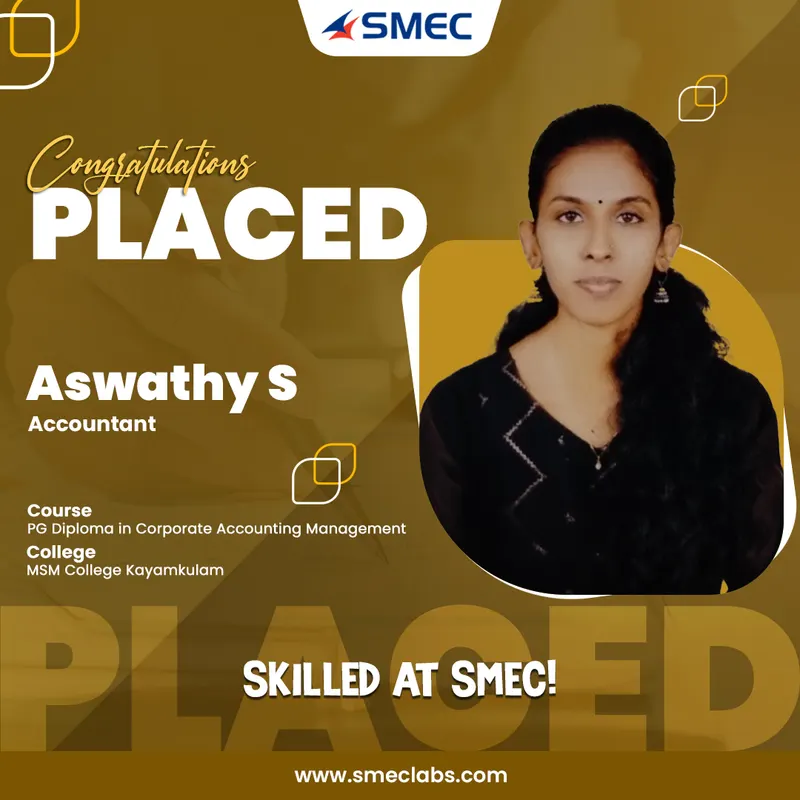
Congrats Aswathy S

Congrats Aswathy S

🌟 Enroll with and Specialize in Accounting! 🌟 📚 Master Accounting Courses 📚 🚀 Unlock Exciting Career Opportunities Across Various…

August 2024
🎉 Congratulations to Snehamol Thomas on being successfully placed as Accounts Executive ! 👏

🎉 Congratulations to Snehamol Thomas on being successfully placed as Accounts Executive ! 👏

Domain: Professional Diploma in Corporate Accounting and Management Qualification: B.Com College: Assumption College, Changanassery Wishing…

January 2026
🎉 Congratulations to Parvana Shaji on being successfully placed as Accounts Executive ! 👏

🎉 Congratulations to Parvana Shaji on being successfully placed as Accounts Executive ! 👏

Domain: Professional Diploma in Corporate Accounting and Management Qualification: B.Com College: B.A.M College, Thiruthicad Wishing you a…

January 2026
കണക്കുകൂട്ടലുകൾ ഇനി തെറ്റില്ല !

കണക്കുകൂട്ടലുകൾ ഇനി തെറ്റില്ല !

തിരഞ്ഞെടുക്കാം മികച്ച കോഴ്‌സ് . . For more information about SAP Training and Placement +919656227714…

August 2024

See all placements (254) →Follow @smeclabs_official on Instagram ↗

Trusted by genius people.

SMEClabs have paved the way for several candidates to get their dream job.

The SMEClabs Advantage: Where Training Meets Reality

As the R&D and training division of SMEC Automation—one of India’s leading EPC companies—SMEClabs provides more than just a certification. We provide an ecosystem of excellence.

World-Class Infrastructure

Our Cochin headquarters boasts a massive 40,000 sq. ft. hands-on lab facility, one of the largest in the country.

Real-World Exposure

Gain exclusive insights into the Industrial and Marine divisions of SMEC. Watch real-time control panels and projects being integrated for elite clients, including ONGC, BPCL, the Indian Navy, and the Defense sector

Expert Mentorship

Learn directly from veteran engineers. Our curriculum isn't just theoretical; it’s a direct transfer of knowledge from the field to the classroom.

100 %

Placement Assistance

100000 +

Placements

Learning options & certification

Shareable Certificate

International & National Level Certification.

Online Accounting courses

Start instantly and learn at your own schedule, Accounting courses, Quick to become a professional.

Classroom Accounting courses

Get Accounting courses training in Classroom at limited locations. Kochi, Chennai, Trivandrum, Mumbai, Calicut, Bangalore, Mangalore, Vizag, Dubai, Saudi Arabia, Qatar, Oman, Kuwait, Nigeria.

Flexible Schedule

Set and maintain flexible deadlines.

Become a certified accounting professional

Accounting is a rapidly growing field offering a wide range of career opportunities across industries. An online accounting training course equips learners with practical skills using industry-relevant tools such as Tally with GST and UAE VAT, Peachtree, QuickBooks, SAP FICO, and MS Excel. One of the strongest advantages of pursuing a career in accountancy is its universal demand—every organization, regardless of its size or sector, requires professionals to manage financial records, transactions, budgets, and compliance. Accountants play a crucial role in ensuring financial accuracy, transparency, and decision-making support.

To meet the increasing demand for skilled accounting professionals, SMEClabs in India offers a comprehensive “Accounting Professionals Course.” This program is carefully designed to provide hands-on training, real-time project exposure, and industry-oriented knowledge that prepares students and professionals for successful careers in accounting and finance. With expert trainers and an updated curriculum, learners gain both theoretical understanding and practical expertise.

SMEClabs provides this training across multiple locations, including Thiruvananthapuram, Calicut, Kottayam, Cochin, Chennai, Coimbatore, Nagercoil, Mangalore, Bangalore, Visakhapatnam, Hyderabad, Mumbai, Thane, Delhi, Sharjah, Abu Dhabi, Dubai, Fujairah, and Singapore, making quality accounting education accessible globally.

Your Golden Opportunity Awaits

In today’s competitive business environment, accounting and financial management skills are essential for every organization, from small businesses to multinational companies. Skilled accounting professionals play a major role in managing financial records, taxation, auditing, payroll, budgeting, and business operations efficiently. As industries continue to grow digitally and globally, the demand for qualified accounting professionals with practical software knowledge is increasing rapidly. At SMEClabs, we provide industry-oriented Accounting Training Programs designed to prepare students and professionals for successful careers in finance and accounting sectors.

Our courses focus on practical learning and hands-on training in Tally Prime, GST, SAP FICO, Accounting Principles, Taxation, Payroll Management, Financial Reporting, MS Excel, and Business Accounting Practices. With expert trainers, real-time practical sessions, and industry-focused learning methods, students gain the technical knowledge and confidence required to work in accounting firms, corporate companies, financial institutions, and business organizations. We focus on both technical expertise and professional development to help learners become industry-ready professionals.

Whether you are a fresher, B.Com graduate, MBA student, commerce professional, or working individual looking to upgrade your skills, SMEClabs helps you build a strong foundation for a successful accounting career. Join SMEClabs and take the first step toward a rewarding future in finance and accounting in 2026 and beyond.

SAP and Accounting Courses SMECLabs Kochi Kerala

FAQ - Frequently Asked Questions

Top Accounting courses provider in India?

SMEClabs is one of the leading institutes for accounting courses, offering industry-focused training in SAP FICO, SAP MM, SAP PP, and Tally Prime. With expert trainers, practical lab sessions, real-world projects, and placement assistance, students gain the skills needed for successful careers in accounting, finance, ERP implementation, taxation, and business management across diverse industries.

Which course is best for accountant?
  • SAP Certified Application Associate (SAP S/4HANA Finance)
  • SAP Certified Application Associate (SAP S/4HANA MM)
  • Certified Indian & Foreign Accounting Professional
  • Diploma Indian & Foreign Accounting
  • Professional Diploma in Corporate Account Management
  • Professional Diploma in Financial Analyst Management
Is Accounting an easy course?
One of the things most people talk about when it comes to accounting is how hard it is. The demanding nature of the subject leads many would-be accountants to ask themselves why accounting is difficult.
How do I start my career in accounting?
How to Become an Accountant
  1. Earn the Right Degree. SMEClabs provides the best accounting courses, such as Tally with GST and UAE VAT, Peachtree, and QuickBooks.SAP FICO.SAP MM,MS EXCEL
  2. Pick a Specialty.
  3. Land an Entry-level Job.
  4. Look for continuing education opportunities.
Which is the best Accounting course in Kerala?
  • Tally with GST and UAE VAT training course
  • Peachtree training course
  • QuickBooks training course
  • SAP FICO training course
  • SAP MM training course
  • MS EXCEL training course
What accounting courses are offered at SMEClabs?
SMEClabs offers industry-oriented accounting and finance programs, including SAP FICO, SAP MM, Tally Prime with GST, QuickBooks, Peachtree, DIFAA, PG Diploma in Corporate Accounting Management, and Advanced Excel.
Who can join the accounting courses?

Students after Plus Two, B.Com, M.Com, BBA, MBA, graduates, and working professionals can join the courses based on eligibility criteria.

Do I need prior accounting knowledge?

No. SMEClabs provides beginner-friendly training as well as advanced professional-level accounting programs.

Your next chapter

Find the right training for you.

Talk to our team about Accounting Courses in Kerala.

Speak to admissions
Ask us