




Industry-focused learning. Real-world possibilities.Talk to our team +91 99588 73874

IT, Cloud & Networking

Master Microsoft Azure with SMEClabs Certification

Kick start your career in Microsoft Azure

Cloud computing is the process of networking various servers which could be remotely placed across the globe. These servers serve the key purposes to store data and further process and manage them. Azure is Microsoft’s cloud computing service. Azure delivers 3 services:

  • Software as a Service (SaaS)
  • Platform as a Service (PaaS)
  • Infrastructure as a Service (IaaS)
In association withNSDC Logo SMEClabsSkill Development And Entrepreneurship SMEClabsconfederation of india logo smeclabsJain University logo smeclabsskill india logo smeclabs

Prefer to talk? Call +91 99588 73874

Microsoft Azure Certification
of training
25+ years
trained
36,270+
hands-on lab
40,000 sq ft
Department
IT, Cloud & Networking
Fee
Ask for the fee

Admissions open

Talk to an admissions counsellor

Get the syllabus, fees and next batch dates. We call you back within one working day.

  • Which programme fits your qualification
  • Fees and the next batch at your centre
  • Placement support after the course

Call +91 99588 73874WhatsApp

Request a call back

We share this enquiry, in coded form, with Google and Meta to measure our ads.

What you’ll learn

Not sure where to start? Ask a counsellor

Have an understanding of cloud services

Understand Virtual Machines

Learn ARM deployment

Learn how to provision Azure SQL

Understand Virtual Networks

Get an overview of storage

Understand PaaS Cloud Service

Syllabus for Microsoft Azure Certification

Skills Measured
  • Manage Azure identities and governance (15–20%)
  • Implement and manage storage (15–20%)
  • Deploy and manage Azure compute resources (20–25%)
  • Configure and manage virtual networking (20-25%)
  • Monitor and maintain Azure resources (10–15%)
Manage Azure identities and governance (15–20%)
  • Manage Azure Active Directory (Azure AD) objects
    1. Create users and groups
    2. Manage licenses in Azure AD
    3. Create administrative units
    4. Manage user and group properties
    5. Manage device settings and device identity
    6. Perform bulk updates
    7. Manage guest accounts
    8. Configure self-service password reset
  • Manage access control
    1. Create custom role-based access control (RBAC) and Azure AD roles
    2. Provide access to Azure resources by assigning roles at different scopes
    3. Interpret access assignments
    4. Manage Azure subscriptions and governance
    5. Configure and manage Azure Policy
    6. Configure resource locks
    7. Apply and manage tags on resources
    8. Manage resource groups
    9. Manage subscriptions
    10. Manage costs by using alerts, budgets, and recommendations
    11. Configure management group
Implement and manage storage (15–20%)
  • Configure access to storage
    1. Configure network access to storage accounts
    2. Create and configure storage accounts
    3. Generate shared access signature tokens
    4. Configure stored access policies
    5. Manage access keys
    6. Configure Azure AD authentication for a storage account
    7. Configure storage encryption
  • Manage data in Azure storage accounts
    1. Create import and export jobs
    2. Manage data by using Azure Storage Explorer and AzCopy
    3. Implement Azure Storage redundancy
    4. Configure object replication
  • Configure Azure Files and Azure Blob Storage
    1. Create an Azure file share
    2. Configure Azure Blob Storage
    3. Configure storage tiers
    4. Configure blob lifecycle management
Deploy and manage Azure compute resources (20–25%)
  • Automate deployment of resources by using templates
    1. Modify an ARM template
    2. Deploy a template
    3. Save a deployment as an ARM template
    4. Deploy virtual machine (VM) extensions
  • Create and configure VMs
    1. Create a VM
    2. Manage images by using the Azure Compute Gallery
    3. Configure Azure Disk Encryption
    4. Move VMs from one resource group to another
    5. Manage VM sizes
    6. Add data disks
    7. Configure VM network settings
    8. Configure VM availability options
    9. Deploy and configure VM scale sets
  • Create and configure containers
    1. Configure sizing and scaling for Azure Container Instances
    2. Configure container groups for Azure Container Instances
    3. Configure storage for Azure Kubernetes Service (AKS)
    4. Configure scaling for AKS
    5. Configure network connections for AKS
    6. Upgrade an AKS cluster
  • Create and configure an Azure App Service
    1. Create an App Service plan
    2. Create an App Service
    3. Secure an App Service
    4. Configure custom domain names
    5. Configure backup for an App Service
    6. Configure networking settings
    7. Configure deployment settings
Configure and manage virtual networking (20–25%)
  • Configure virtual networks
    1. Create and configure virtual networks and subnets
    2. Create and configure virtual network peering
    3. Configure private and public IP addresses
    4. Configure user-defined network routes
    5. Configure Azure DNS
  • Configure secure access to virtual networks
    1. Create and configure network security groups (NSGs) and application security groups (ASGs)
    2. Evaluate effective security rules
    3. Implement Azure Bastion
    4. Configure service endpoints on subnets
    5. Configure private endpoints
  • Configure load balancing
    1. Configure Azure Application Gateway
    2. Configure an internal or public load balancer
    3. Troubleshoot load balancing
  • Monitor virtual Networking
    1. Monitor on-premises connectivity
    2. Configure and use Azure Monitor for networks
    3. Use Azure Network Watcher
    4. Troubleshoot external networking
    5. Troubleshoot virtual network connectivity
Monitor and maintain Azure resources (10–15%)
  • Monitor resources by using Azure Monitor
    1. Configure and interpret metrics
    2. Configure Azure Monitor Logs
    3. Query and analyze logs
    4. Set up alerts and actions
    5. Configure monitoring of VMs, storage accounts, and networks by using VM insights
  • Implement backup and recovery
    1. Create an Azure Recovery Services vault
    2. Create an Azure Backup vault
    3. Create and configure backup policy
    4. Perform backup and restore operations by using Azure Backup
    5. Configure Azure Site Recovery for Azure resources
    6. Perform failover to a secondary region by using Azure Site Recovery
    7. Configure and review backup reports

Job Opportunities

Microsoft Azure IaaS Cloud Operations Engineer

Microsoft Azure IaaS Cloud Transformation & Migration

Microsoft Azure IaaS Cloud Technical Architect

Microsoft Azure DevOps Application Developer

What our students say on Google

4.6 ★★★★★from 2,172 reviews on Google

Ramees MuhammedOctober 2019 · SMEClabs Kerala Kochi
★★★★★

SMEC IT is one of the best institution in Kochi Ernakulam. I came here to study MNE( Master of network engineering), its a package of almost 10 Small and big courses. I got the best experience in my learning period and the best teachers like Vishnu Sir (CCNP), Joseph Sir

Read more

(MCSA,AZURE,AWS), Vidhya Ma’am(CCNA),and others. Unfortunately COVID came and i couldn’t complete my course. But many of my friends were placed in good companies in India. The placement cell also work very well for us.


Google review
Abin AsJuly 2026 · SMEClabs Kerala Kochi
★★★★★

Had a great experience doing my Professional Microsoft & Azure Cloud Architect training at SMEClabs, Kochi. I also completed my CCNA and AZ-800/AZ-801 modules here. The training is heavily practical-oriented, which helped me immensely since I wanted to focus on real-world

Read more

implementation. Learning to design and manage enterprise hybrid cloud infrastructures gave me a clear idea of what the industry expects from an engineer today. A big thanks to the trainers who were always supportive and patient with clearing all our doubts during the lab sessions. For anyone searching for a reliable institute in Kerala with strong placement support and practical cloud/networking training, SMEClabs is definitely a great option! 👍🔥

Google review
Sreevishnu S ThampiDecember 2018 · SMEClabs Thiruvananthapuram
★★★★★

Got a good training session from SMEClabs Trivandrum, understanding of piping with practical oriented classes is what appreciable, planning for networking also to do in SMEC ABCD Campus 10th floor KSRTC complex

Google review
Jaison JosephSeptember 2025 · SMEClabs Kerala Kochi
★★★★★

I had a great learning experience at SMEC' LABS. The training for CCNA, MCSE, and Azure was very informative and practical. The instructors were knowledgeable and supportive, explaining every concept clearly with real-time examples. The lab sessions helped me gain good hands-on

Read more

experience. Overall, it’s an excellent place to build a strong foundation in networking and cloud technologies.

Google review

More reviews about Networking and cloud (29) →All our reviews on Google ↗

Placements on Instagram

Placements

Follow @smeclabs_official on Instagram
Internship 2024 - Next Batch Available! * *with Certification.

Internship 2024 - Next Batch Available! * *with Certification.

✅ Engineering✅ Diploma✅ Degree NSDC Approved (Govt. of India) MNC Company SMEC has projects in Marine, Oil & Gas, & IT Sector & Main…

April 2024 · Reel
🚀 IT ഫീൽഡിൽ Career സെറ്റ്! ✨

🚀 IT ഫീൽഡിൽ Career സെറ്റ്! ✨

Congratulations 🎉 to our student Jaison Joseph for getting placed as a Hardware & Network Engineer ⚡️ Your dedication + the right training…

December 2025 · Reel
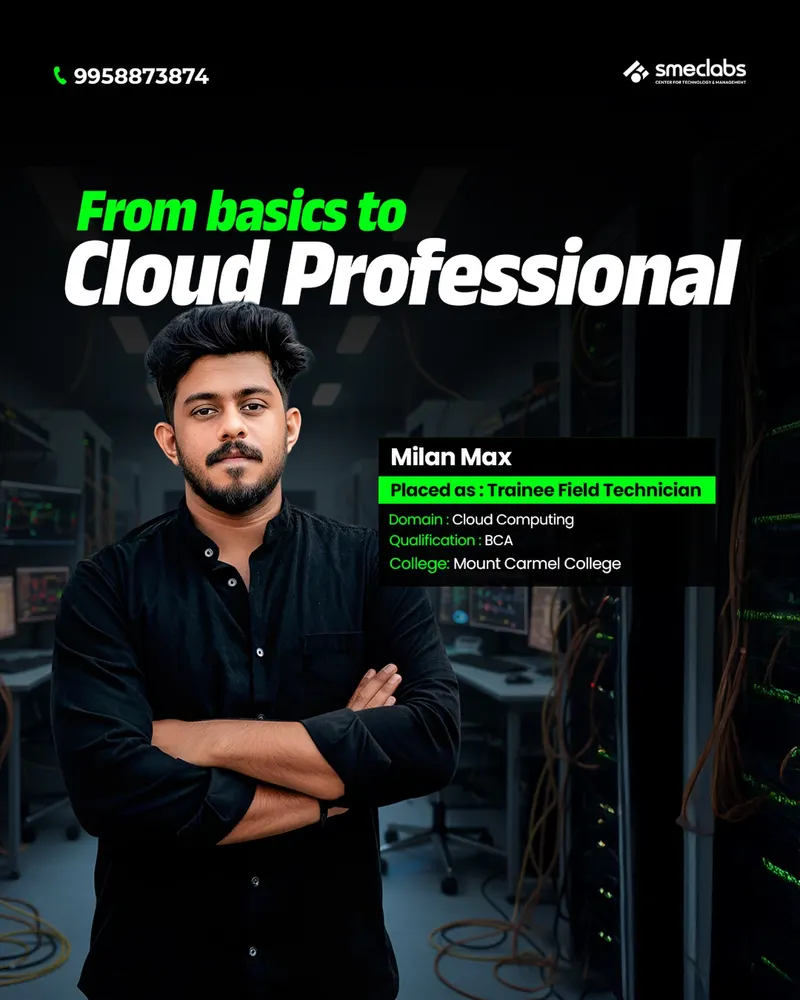
🎉 Congratulations to Milan Max on being successfully placed as Trainee Field Technician! 👏

🎉 Congratulations to Milan Max on being successfully placed as Trainee Field Technician! 👏

Domain : Cloud Computing Qualification : BCA College: Mount Carmel College Wishing you a successful and bright career ahead! 🚀✨ Choose…

December 2025
🎓 ഒരു Degree മാത്രം മതിയോ ജോലി കിട്ടാൻ? 🤔

🎓 ഒരു Degree മാത്രം മതിയോ ജോലി കിട്ടാൻ? 🤔

Congratulations to Ashika Regeena Joy on getting placed as a Trainee Engineer at Merlin Automation Solutions after successfully completing…

July 2026 · Reel

See all placements (254) →Follow @smeclabs_official on Instagram ↗

Trusted by genius people.

SMEClabs have paved the way for several candidates to get their dream job.

Learning options & certification

Shareable Certificate

International & National Level Certification.

Online Microsoft Azure Certification

Start instantly and learn at your own schedule, Microsoft Azure Certification Course, Quick to become a professional.

Classroom Microsoft Azure Certification

Get Microsoft Azure Certification training in Classroom at limited locations. Kochi, Chennai, Trivandrum, Mumbai, Calicut, Bangalore, Mangalore, Vizag, Dubai, Saudi Arabia, Qatar, Oman, Kuwait, Nigeria.

Practical only subscription

Subscription for remote lab connectivity. 24x7

Flexible Schedule

Set and maintain flexible deadlines.

Take the next career leap

Azure avails you with the ability to work with the application where Azure Virtual Machine serves in updating data, storage of it, analyzing it and computing it via networks. Be a Microsoft Azure expert, when you get trained with SMEClabs offering you cloud computing skills, knowledge in Microsoft Technologies and Programming, all at one place – SMEClabs.

Accelerate your career in cloud computing with Microsoft Azure

SMEClabs' Microsoft Azure training is in-depth training for the Azure Administrator that will help you master various aspects of the cloud architecture, its various layers, components, Azure Resource Manager, Virtual Network connectivity, Windows PowerShell, deploying the cloud infrastructure and security. This best  Microsoft Azure course from SMEClabs is aligned with the 2020 certification guidelines.SMEClabs' best Microsoft Azure certification training paves a way for learners to get accustomed to Azure infrastructure and deployment. This training makes learners acquire skills in Azure administration, managing subscriptions, securing storage, securing and managing identities, deploying Virtual Machines, implementing Azure Load Balancer, migrating servers to Azure, integrating on-premise networks with Azure virtual network, and managing application services among other aspects of Azure through implementing projects in real-world scenarios. Become a part of the Azure revolution with the SMEClabs Microsoft Certified Azure training course. Aligned with the 2020 edition of Exam  Microsoft Azure, this course is best suited for professionals wishing to be successful as an Azure proffessional.

Who should take this Azure Cloud Architect program?

This Azure certification program caters to those who are hoping to enter the cloud industry. The following roles and disciplines are ideal for this course:

  • Fresh graduates who are intent on taking the plunge into the job market
  • Professionals with less than 2 years of experience who are working in either technical or non-technical job roles and want to shift to cloud

Requirements

  • This course is suggested for It-related professionals that possess limited/no knowledge of cloud technologies and would like to become familiar with Microsoft Azure. Basic computer skills are required. Familiarity with the concept of cloud computing and storage is helpful, but not required.

What should I expect from this Azure certification program?

  • Industry-recognized certification: Upon successful completion of the Azure training program, you will earn an industry-recognized course completion certificate
  • Learn from the best in the industry: Learn core cloud computing concepts from leading industry experts with content structured to ensure industry-specific relevance
  • Projects and career services: Available through industry partners
  • Job assist services: Access job assistance services such as personalized CV, career fairs, and interview preparation for different job profiles

FAQ - Frequently Asked Questions

What is Microsoft Azure?

Microsoft Azure is a cloud computing platform from Microsoft that provides services for computing, storage, databases, networking, artificial intelligence, analytics, security, and application development.

Why should I learn Azure?

Learning Azure can help you build skills in cloud computing, DevOps, application deployment, data services, and cloud security. Azure skills are widely used across IT and software industries.

Who can learn Azure?

Azure can be learned by students, fresh graduates, IT professionals, software developers, system administrators, DevOps professionals, and anyone interested in cloud computing.

Do I need programming knowledge to learn Azure?

Not necessarily. Basic programming knowledge is helpful for developer-focused Azure roles, while administration, networking, and cloud fundamentals can be learned with limited programming experience.

What are the prerequisites for an Azure course?

Basic knowledge of computers, operating systems, networking, and IT concepts is useful. The exact prerequisites depend on the Azure specialization you choose.

What topics are covered in Azure training?

Azure training may include Azure fundamentals, virtual machines, Azure Storage, Azure Networking, Azure SQL, Azure Active Directory/Microsoft Entra ID, security, monitoring, containers, DevOps, and cloud deployment.

Is Azure certification included in the training?

This depends on the training program. Many Azure courses prepare learners for Microsoft Azure certification exams such as AZ-900, AZ-104, AZ-204, or AZ-400.

Which Azure certification should a beginner choose?

AZ-900: Microsoft Azure Fundamentals is generally a good starting point for beginners who want to understand cloud and Azure fundamentals.

Can freshers get jobs after learning Azure?

Yes. Azure skills can help freshers pursue entry-level opportunities in areas such as cloud support, Azure administration, technical support, DevOps, and junior cloud engineering, although practical skills and projects are important.

What career opportunities are available after Azure training?

Depending on your skills and experience, possible roles include Azure Administrator, Cloud Engineer, Azure Developer, DevOps Engineer, Cloud Support Engineer, Cloud Architect, and Cloud Security Engineer.

Is Azure difficult to learn?

Azure has many services, but beginners can learn it progressively by starting with cloud fundamentals and then moving into administration, development, DevOps, security, or other specializations.

Does Azure training include practical sessions?

A good Azure training program should include hands-on practice using the Azure portal, virtual machines, storage, networking, databases, and other cloud services.

Your next chapter

Find the right training for you.

Talk to our team about Microsoft Azure Certification.

Speak to admissions
Ask us